Software Framework/Flutter
[Flutter:: Widget] ReorderableListView 수동 정렬하기
Bull_
2024. 9. 26. 19:24
ReorderableListView
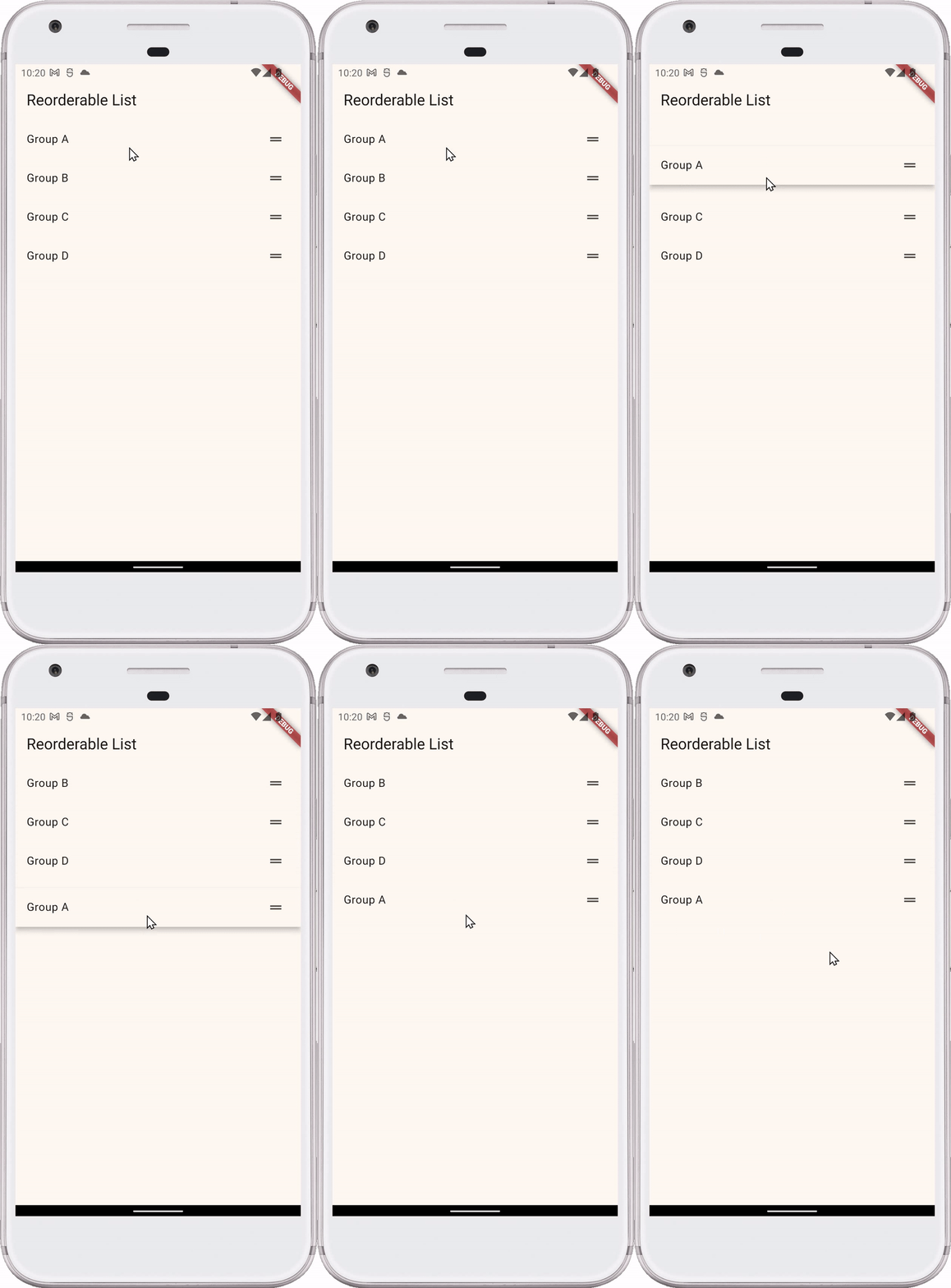
import 'package:flutter/material.dart';

void main() {
  runApp(MyApp());
}

class MyApp extends StatelessWidget {
  @override
  Widget build(BuildContext context) {
    return MaterialApp(
      title: 'Reorderable List Demo',
      theme: ThemeData(
        useMaterial3: true,
        colorScheme: ColorScheme.fromSeed(seedColor: Colors.amber),
      ),
      home: ReorderableGroupListPage(),
    );
  }
}

class ReorderableGroupListPage extends StatefulWidget {
  @override
  _ReorderableGroupListPageState createState() =>
      _ReorderableGroupListPageState();
}

class _ReorderableGroupListPageState extends State<ReorderableGroupListPage> {
  List<String> groupNames = ['Group A', 'Group B', 'Group C', 'Group D'];

  @override
  Widget build(BuildContext context) {
    return Scaffold(
      appBar: AppBar(
        title: Text('Reorderable List'),
      ),
      body: ReorderableListView(
        onReorder: (int oldIndex, int newIndex) {
          setState(() {
            if (newIndex > oldIndex) {
              newIndex -= 1;
            }
            final String movedGroup = groupNames.removeAt(oldIndex);
            groupNames.insert(newIndex, movedGroup);
          });
        },
        children: [
          for (final group in groupNames)
            ListTile(
              key: ValueKey(group),
              title: Text(group),
              trailing: Icon(Icons.drag_handle),
            ),
        ],
      ),
    );
  }
}
코드 설명
onReorder: 사용자가 리스트 항목의 순서를 변경할 때 호출됩니다.oldIndex와newIndex를 받아서, 리스트의 순서를 업데이트합니다.- 여기서 newIndex -= 1 부분은 기존 인덱스가 먼저 제거되기 때문에 새로운 인덱스도 1 내려서 입력해야합니다.
children: 리스트 항목들을 정의하는 부분입니다. 여기서는ListTile을 사용하여 각 항목을 렌더링하고, 드래그 가능하게ValueKey를 부여했습니다.- DartPad에서 작동하면 리스트 전체 잡고 움직이는 것이 안된다.